
LotSmith — MT5 Risk-Based Lot Calculator
LotSmith | MQLicense.com — User Guide
📋 Açıklama
1. What is LotSmith?
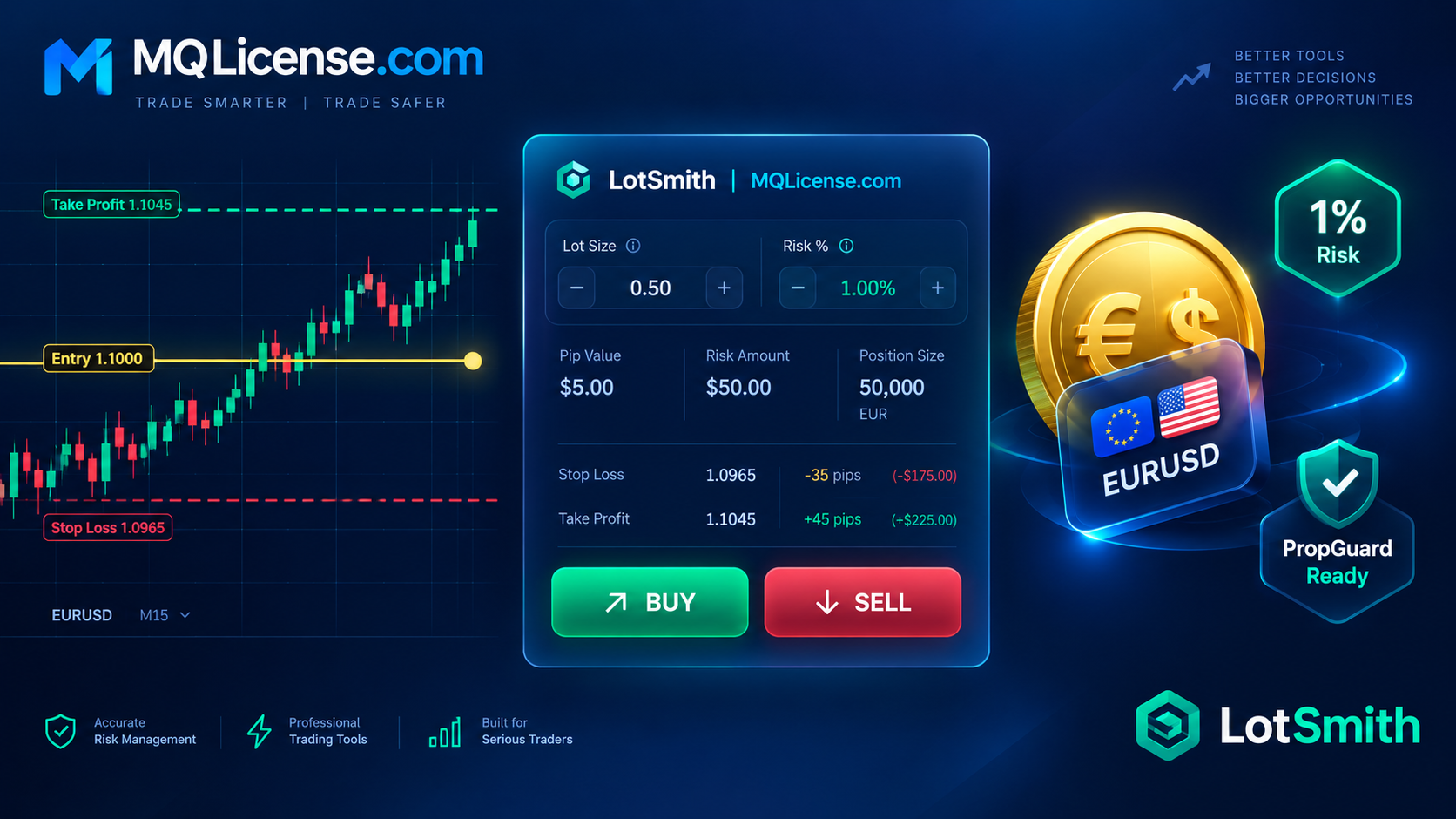
LotSmith is a risk-management Expert Advisor for MetaTrader 5. It does NOT generate trading signals. Instead, it:
-
Calculates the exact lot size you should trade based on how much money you're willing to risk.
-
Lets you set your stop loss by points, ATR, candle, or a draggable line.
-
Shows you a live preview of the trade (lots, risk, R:R, margin) before you click.
-
Sends the trade with a single click.
-
Provides quick management buttons (Close All, Breakeven, etc.).
Ideal for:
-
Manual traders who want consistent 0.5%–2% risk per trade.
-
Traders switching between Forex, Gold, Indices, and Crypto — LotSmith handles all instrument types correctly.
-
Users of the MQLicense.com risk-management suite (PropGuard, TradeGate, RiskRadar).
2. Installation
Step 1 — Copy files
Place these files in the correct folder:
| Method | File locations |
|---|---|
| Recommended (Include) | LotSmith.mq5 → MQL5/Experts/MQLicense_Common.mqh → MQL5/Include/ |
| Alternative (same folder) | Both files → MQL5/Experts/ |
Step 2 — Compile
-
Open MetaEditor (F4 in MT5).
-
Open
LotSmith.mq5. -
Press F7 (Compile).
-
You should see: 0 errors, 0 warnings.
Step 3 — Attach to a chart
-
In MT5, open any chart (e.g., EURUSD H1).
-
Drag
LotSmithfrom Navigator → Expert Advisors onto the chart. -
Make sure Algo Trading button is green.
3. First Launch
When you attach LotSmith for the first time, an Inputs dialog appears. The defaults are tuned for a retail trader with a 1% risk mindset:
| Input | Default | Meaning |
|---|---|---|
| Risk basis | % of Balance | Risk 1% of your balance per trade |
| Risk percent | 1.0 | 1% |
| SL mode | Fixed | SL by fixed points |
| SL points | 200 | 200 points below/above entry |
| TP mode | Risk:Reward | TP by R:R ratio |
| R:R | 2.0 | 2× the risk |
| Magic number | 20241101 | Unique ID for LotSmith trades |
| Panel theme | Dark | Dark panel |
Click OK. The panel appears in the top-left corner.
4. Panel Overview
text
┌──────────────────────────────────────────────────┐
│  LotSmith | MQLicense.com                    [_] │  ← Title bar (drag to move)
├──────────────────────────────────────────────────┤
│  Risk basis:                                     │
│  Risk: 1.00% Bal                                 │  ← Current risk setting
│  SL: 1.0850                                      │  ← Computed Stop Loss
│  TP: 1.0950                                      │  ← Computed Take Profit
│  Lots: 0.45                                      │  ← ★ Your lot size
│  Risk $: 98.50 (0.99%)                           │  ← Money + % of equity
│  R:R: 2.00                                       │
│  Margin: 197.00                                  │  ← Required margin
│  Spread: 12.5 pts                                │
│                                                  │
│  ┌──────────────┐  ┌──────────────┐             │
│  │     BUY      │  │     SELL     │             │
│  └──────────────┘  └──────────────┘             │
│  ┌────────┐┌────────┐┌────────┐                 │
│  │CloseAll││CloseBuy││CloseSell│                │
│  └────────┘└────────┘└────────┘                 │
│  ┌────────┐┌────────┐┌────────┐                 │
│  │ BE All ││ DelPend││Reverse │                 │
│  └────────┘└────────┘└────────┘                 │
│  ┌────────┐┌────────┐┌────────┐                 │
│  │ Basis  ││SL Mode ││TP Mode │                 │
│  └────────┘└────────┘└────────┘                 │
│  MQLicense.com                                   │  ← Footer
└──────────────────────────────────────────────────┘
Panel elements
| Element | Function |
|---|---|
| Title bar | Click-drag to move the panel (planned for future release) |
_ button |
Minimize / restore the panel |
| Risk basis line | Shows the current risk configuration |
| SL / TP line | Computed prices based on your mode |
| Lots line | ★ The recommended lot size |
| Risk $ line | Expected loss in money and % of equity |
| R:R line | Reward-to-risk ratio |
| Margin line | Required margin for this trade |
| Spread line | Current spread in points |
| Warning line | Red text if anything is wrong (spread too high, insufficient margin, etc.) |
| BUY / SELL | Send the trade with the computed lots, SL, and TP |
| CloseAll / CloseBuy / CloseSell | Close matching positions (LotSmith's magic only) |
| BE All | Move all SL to breakeven (entry price) |
| DelPend | Delete all pending orders with LotSmith's magic |
| Reverse | (Reserved for future — currently no action) |
| Basis | Cycle through the 5 risk bases |
| SL Mode | Cycle through the 4 SL modes |
| TP Mode | Cycle through the 4 TP modes |
Colors:
-
🟩 Green BUY button — long positions
-
🟥 Red SELL button — short positions
-
🟧 Orange warning text — action required
-
🟩 Green warning text — all OK
5. Risk Basis Explained
LotSmith computes lots based on how much money you're willing to lose if the SL is hit.
5 risk bases (click Basis button to cycle)
| # | Mode | Formula | Use case |
|---|---|---|---|
| 1 | % of Balance | Risk = Balance × RiskPercent / 100 | Classic fixed-fractional. Stable even with floating loss. |
| 2 | % of Equity | Risk = Equity × RiskPercent / 100 | More conservative when in drawdown. |
| 3 | % of Free Margin | Risk = FreeMargin × RiskPercent / 100 | Aggressive — risk grows when no positions are open. |
| 4 | Fixed Money | Risk = InpRiskMoney | Exact dollar amount. Good for prop-firm rules. |
| 5 | Fixed Lot | Ignores risk — uses InpFixedLot | Legacy manual trading. |
Example:
-
Balance = $10,000, risk = 1% → risk amount = $100
-
SL distance = 50 points on EURUSD
-
Loss per lot at SL ≈ $50 (5 digits, 1 standard lot)
-
→ Lots = $100 / $50 = 2.00 lots (before clamping)
Important: LotSmith uses OrderCalcProfit() — the broker's own calculation — so it's accurate for every instrument:
-
Forex majors, minors, exotics
-
XAUUSD, XAGUSD
-
Indices (US30, NAS100, GER40)
-
Crypto (BTCUSD, ETHUSD)
-
Stocks CFDs
-
Non-USD accounts
6. Stop Loss Modes
Click SL Mode to cycle through 4 modes:
Mode 1 — Fixed points
mql5
InpSLMode = SL_FIXED
InpSLPoints = 200   // 200 points below (BUY) or above (SELL) entry
Simple. Consistent.
Mode 2 — ATR-based
mql5
InpSLMode = SL_ATR
InpATRPeriod = 14
InpATRTimeframe = PERIOD_H1
InpATRMult = 1.5
SL = 1.5 × ATR(14, H1). Adapts to volatility. Good for gold and indices.
Mode 3 — Draggable line
mql5
InpSLMode = SL_LINE
A red horizontal line named LotSmith_SL appears on the chart. Drag it to set your SL. The preview updates live (<200 ms).
If the line is deleted, LotSmith falls back with a warning: "SL not defined".
Mode 4 — Candle-based
mql5
InpSLMode = SL_CANDLE
InpCandleCount = 3
InpCandleBuffer = 20   // points
-
BUY: SL = lowest low of last 3 closed candles − 20 points
-
SELL: SL = highest high of last 3 closed candles + 20 points
Classic swing-trader approach.
7. Take Profit Modes
Click TP Mode to cycle through 4 modes:
Mode 0 — None
No TP is sent. You manage the exit yourself.
Mode 1 — Fixed points
mql5
InpTPMode = TP_FIXED
InpTPPoints = 400
Mode 2 — Risk:Reward (recommended)
mql5
InpTPMode = TP_RR
InpRR = 2.0   // 2:1 reward-to-risk
TP = entry + (2 × |entry − SL|) for a BUY.
This is what most professional traders use.
Mode 3 — Draggable line
A green horizontal line named LotSmith_TP appears. Drag it to set your TP. Preview updates live.
8. Pending Orders Mode
Enable with:
mql5
InpUsePending = true
A gold horizontal line (LotSmith_ENTRY) appears. Drag it where you want to enter.
When you click BUY or SELL, LotSmith auto-selects the correct pending type:
| Entry line vs price | BUY becomes | SELL becomes |
|---|---|---|
| Entry below Ask (BUY) / above Bid (SELL) | Buy Limit | Sell Limit |
| Entry above Ask (BUY) / below Bid (SELL) | Buy Stop | Sell Stop |
Optional expiration:
mql5
InpExpiryMinutes = 60 // 0 = GTC
9. The Preview Block
Every value in the preview is live — it updates on every tick (throttled to 200 ms) and on every line drag.
| Field | What it means |
|---|---|
| Risk | Your current basis (e.g. "1.00% Bal") |
| SL | Computed Stop Loss price |
| TP | Computed Take Profit price (or "none") |
| Lots | ★ The lot size LotSmith will send |
| Risk $ | Real money at SL (uses OrderCalcProfit) + commission |
| R:R | Reward-to-Risk ratio |
| Margin | Required margin (OrderCalcMargin) |
| Spread | Current spread in points |
| Warning | Empty (green) = OK. Orange/red = problem. |
Example warnings:
-
"Spread too high"
-
"Insufficient margin"
-
"SL inside stops level or wrong side"
-
"Min lot risk exceeds requested"
-
"Lots exceed max cap"
-
"Max positions reached"
-
"Max total risk exceeded"
-
"Lots auto-reduced"
10. Safety Limits
All configurable inputs:
| Input | Default | Effect |
|---|---|---|
InpMaxLot |
100 | Hard cap on lot size |
InpMaxPositions |
10 | Max open positions per symbol with this magic |
InpMaxTotalRiskPct |
5% | Total open risk (all symbols) must stay below this |
InpMaxSpreadPts |
50 | Reject trade if spread is wider than this |
InpMinFreeMarginPct |
200% | Margin level floor |
InpMarginBufferPct |
20% | Safety buffer on top of required margin |
InpAllowOverRiskAtMinLot |
false | If true, allows risk > requested when min lot forces it |
InpAutoReduceLots |
true | If margin is insufficient, reduce lots instead of rejecting |
Auto-reduce example: You want 2 lots, but free margin only supports 1.2 lots. If InpAutoReduceLots = true, LotSmith sends 1.2 lots and shows "Lots auto-reduced".
11. Quick Action Buttons
CloseAll / CloseBuy / CloseSell
Closes all LotSmith-magic positions on the current symbol, or only BUY / SELL.
-
Uses partial-close-safe logic (hedging: per-ticket; netting: opposite deal).
-
Shows a confirmation popup if
InpConfirmActions = true.
BE All
Moves SL of all LotSmith-magic positions to breakeven (entry price). Offset is currently 0 points. Future versions will let you set an offset.
DelPend
Deletes all pending orders with LotSmith's magic on the current symbol.
Reverse
Reserved for future release. No action at the moment.
Basis / SL Mode / TP Mode
Cycle through the modes at runtime. The panel updates immediately.
12. Keyboard Shortcuts
Enable with:
mql5
InpKeyboard = true
| Key | Action |
|---|---|
| B | Send BUY market order |
| S | Send SELL market order |
| C | Close all LotSmith positions (asks for confirmation) |
⚠️ Warning: Only enable when you are confident. The keys fire immediately.
13. Suite Integration
If you own other MQLicense.com EAs, LotSmith can honor their trading blocks:
mql5
InpRespectSuite = true
When true, before sending a trade LotSmith checks:
-
MQLic_PropGuard_<login>_LOCK— if 1, trade is blocked ("PropGuard LOCK active") -
MQLic_TradeGate_<login>_BLOCK— if 1, trade is blocked ("TradeGate BLOCK active")
The reason is shown in the notification. No data is written — LotSmith only reads.
Order of publishing (recommended):
-
LotSmith (this EA) — works standalone
-
TradeKeeper
-
PropGuard
-
RiskRadar
-
TradeGate
14. Common Scenarios
Scenario 1 — "I want to risk exactly $50 on Gold"
-
Set
InpRiskBasis = RISK_MONEY -
Set
InpRiskMoney = 50 -
Set
InpSLMode = SL_LINE -
Drag the SL line where you want
-
Read "Lots" in the panel
-
Click BUY or SELL
Scenario 2 — "I want 1% risk with ATR-based SL on H1"
-
InpRiskBasis = RISK_PERCENT_BALANCE,InpRiskPercent = 1.0 -
InpSLMode = SL_ATR,InpATRTimeframe = PERIOD_H1,InpATRMult = 1.5 -
InpTPMode = TP_RR,InpRR = 2.0 -
Click BUY or SELL
Scenario 3 — "I want a pending Buy Limit 20 points below price"
-
InpUsePending = true -
Drag the gold entry line 20 points below Ask
-
Click BUY → LotSmith sends Buy Limit automatically
Scenario 4 — "PropGuard locked me — LotSmith shouldn't trade"
-
Just leave
InpRespectSuite = true -
You'll see: "Blocked by suite: PropGuard LOCK active"
15. Troubleshooting
| Problem | Cause | Fix |
|---|---|---|
| "Preview invalid: SL not defined" | SL line was deleted | Recreate the line by switching to another SL mode and back |
| "Insufficient margin" | Not enough free margin | Reduce risk % or use auto-reduce |
| "Spread too high" | Market condition | Wait or raise InpMaxSpreadPts |
| Panel not appearing | InpShowPanel = false or chart not refreshed |
Set true and press F5 |
| "Trading not allowed on symbol" | AutoTrading off or symbol restricted | Check AutoTrading, symbol trade mode |
| Lots = 0.00 | SL distance too small, or risk money too low | Increase risk or widen SL |
| Order sent with fewer lots than expected | Auto-reduce, or step-clamp | Check warning line and InpAutoReduceLots |
| Line drag not updating lots | Panel blocked or timer frozen | Wait a tick; check journal |
| MT5 crash | Unrelated — MT5 quirk | Restart terminal; state persists via GlobalVariables |
Documentation URL
Gereksinimler
• MetaTrader 5 • Windows 10/11, macOS, or Linux with MT5 (Wine) • The include file MQLicense_Common.mqh must be copied to: MQL5/Include/ • The EA file LotSmith.mq5 must be copied to: MQL5/Experts/ • "Allow Algo Trading" enabled in MT5 (Tools → Options → Expert Advisors) • Algo Trading button (top toolbar) must be green • Works on any broker, any account currency (USD, EUR, GBP, JPY, …) • Works on Hedging and Netting accounts • Works on Demo, Live, and Strategy Tester (visual mode supported) • No DLL, no WebRequest, no external dependencies • No VPS required, but recommended for 24/5 operation • Internet connection required only for the broker's price feed
Risk Uyarısı
RISK WARNING Trading involves substantial risk. This tool is provided free of charge, as-is, without any warranty. Test on a demo account first. MQLicense.com is not responsible for any losses. LotSmith is a risk-management and order-execution tool. It does NOT generate trading signals, does NOT predict market direction, and does NOT guarantee profit. All trading decisions — direction, entry, stop loss, take profit, and lot size — remain the sole responsibility of the user. Past performance is not indicative of future results. Leverage can amplify both profits and losses. Never risk money you cannot afford to lose. Ensure you fully understand the risks involved and, if necessary, seek independent financial advice before trading.
📊 İncelemeler 0
Deneyiminizi paylaşan ilk kişi olun!
💬 İnceleme Yaz
🔐 İnceleme yazmak ve deneyiminizi paylaşmak için giriş yapın.
🔑 Giriş Yap